
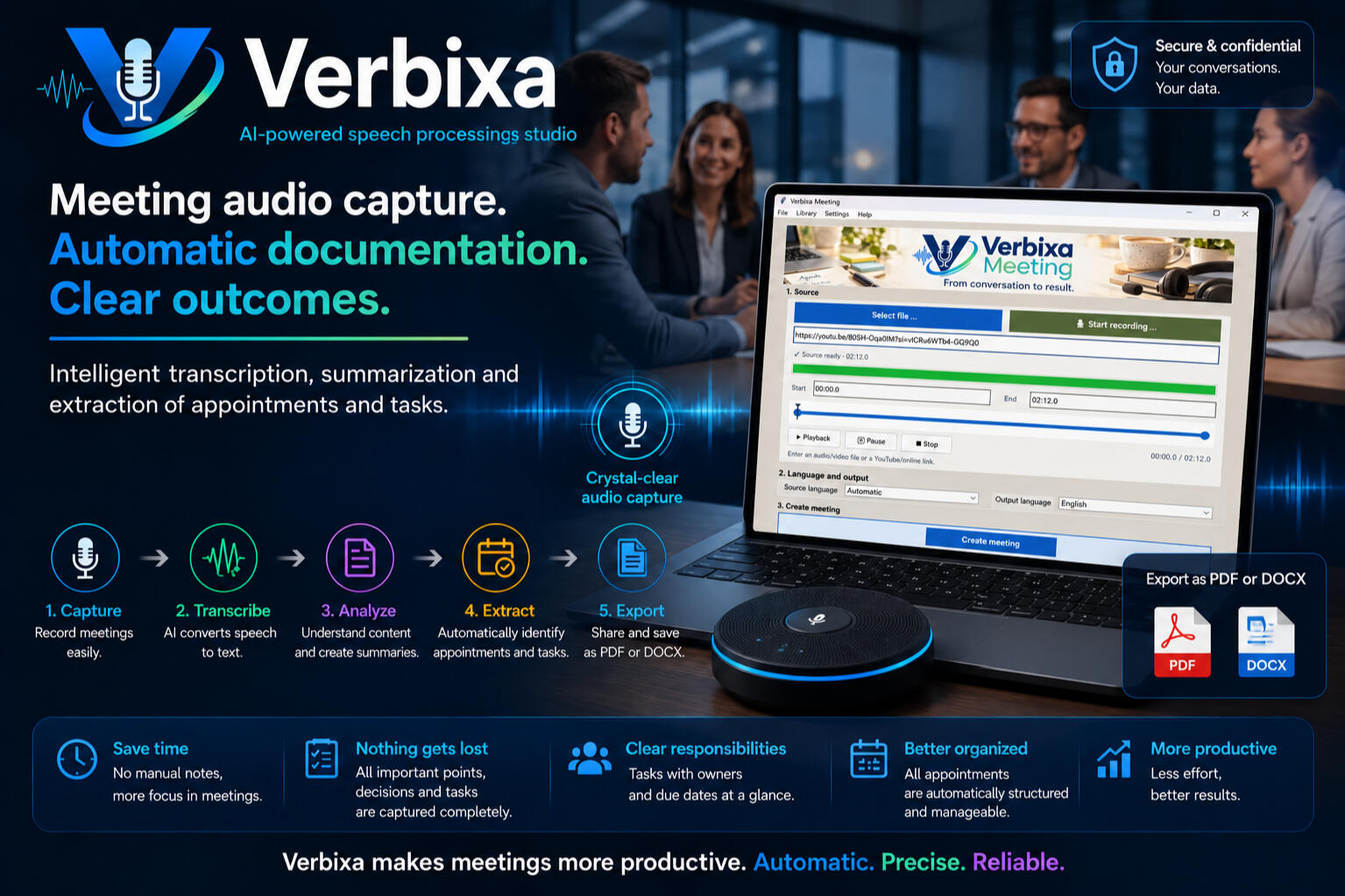
From Conversation to Structured Meeting Documentation
Verbixa Meeting creates structured meeting documentation from recorded conversations, including a transcript, summary, decisions, action items, and open issues …
Verbixa handles the documentation.
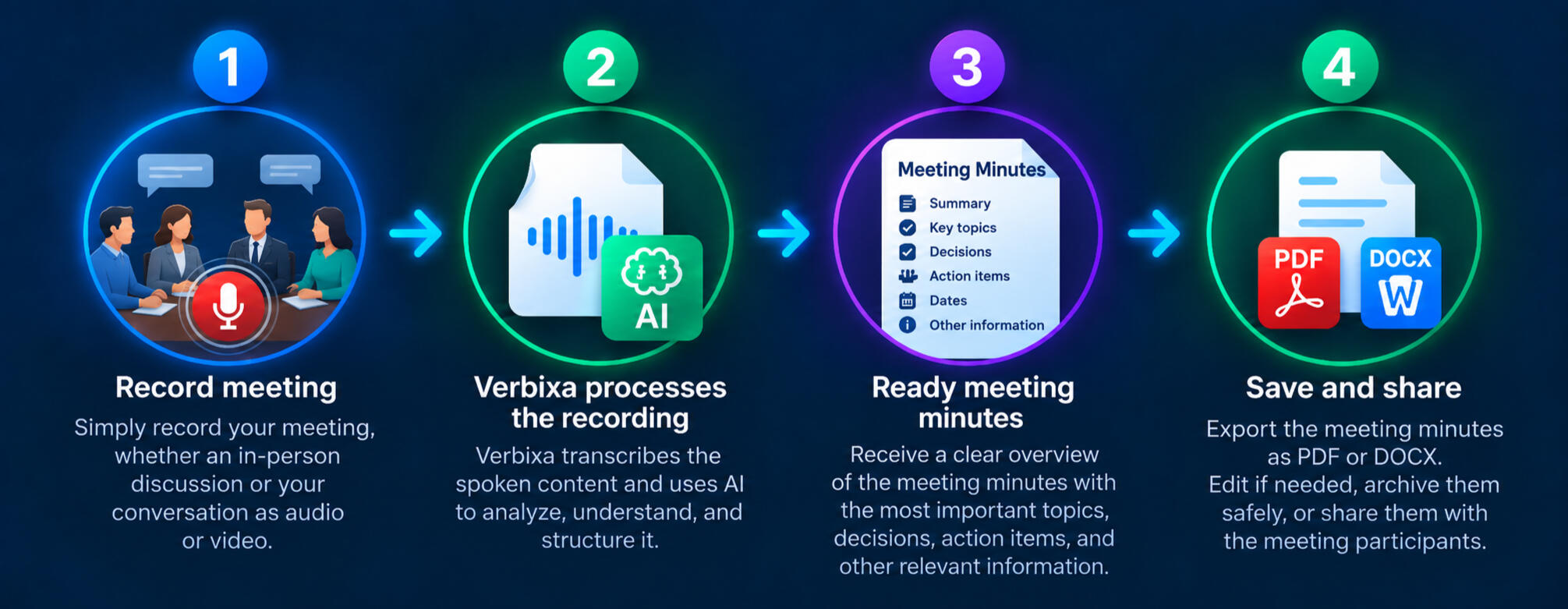
Turning a meeting into structured documentation is this simple
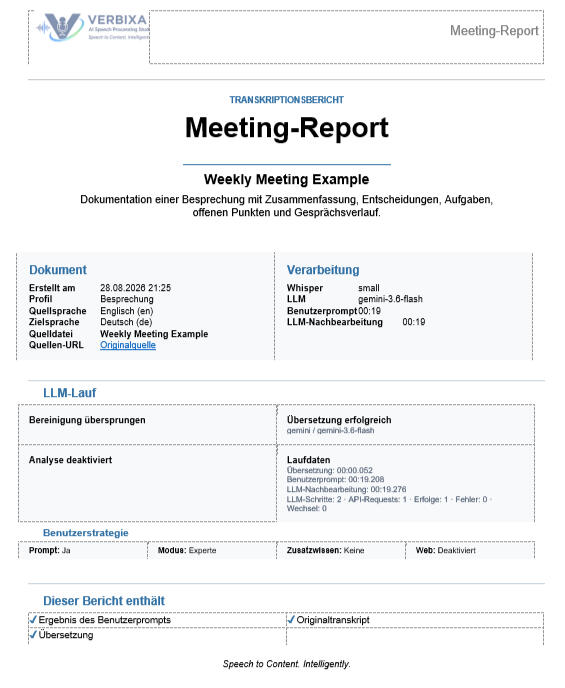
Recording of a meeting

The meeting is over.
The work afterward should be, too.
You just spent two hours in a meeting—and now someone still has to review the notes, identify the key points, and turn them into complete meeting documentation?
Let Verbixa handle the follow-up
With Verbixa, a meeting no longer has to be completely processed by hand afterward.
Verbixa transcribes the recording and turns the spoken content into structured meeting documentation that you can review, edit, save, and share.
Focus on the meeting—not on taking notes.
Instead of trying to listen, contribute to the discussion, and take detailed notes at the same time, you can focus on the conversation.
Verbixa processes the recording afterward and turns the discussion into structured meeting documentation with a summary, decisions, action items, and open issues.

From Conversations to Actionable Results
Verbixa Meeting does more than turn a conversation into a transcript. It structures the key information so it can be used directly for follow-up work.
Summary
A concise overview of the meeting’s most important content.Decisions
Key decisions and agreed-upon commitments clearly captured.Action Items
Identified tasks with assigned responsibilities and, where available, deadlines.Open Issues
Unresolved questions, pending decisions, and topics that require further follow-up.
Build Reports to Fit Your Needs
Before exporting, you can choose which content to include in the PDF or DOCX version and whether source timestamps should be displayed. The complete meeting record remains unchanged regardless of the export settings.
AI-Generated Results Stay Under Your Control
Summaries and structured meeting information can be reviewed and edited before they are saved, exported, or shared.
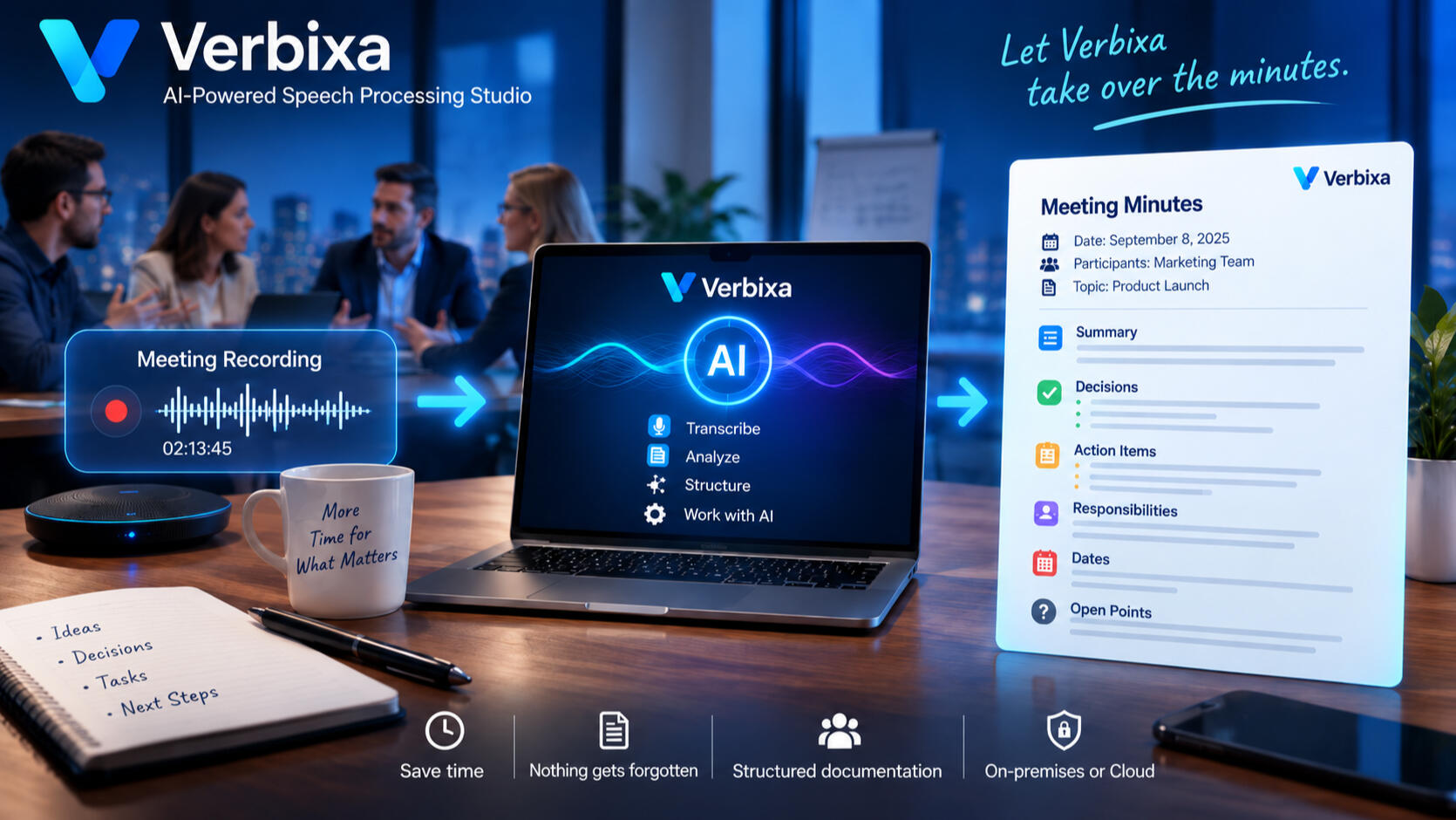
From a Single Meeting to Your Meeting Library
Completed meetings remain available for future reference. Full-text search and filters for date range, participants, sources, collections, and meeting series make it easy to quickly find previous conversations.
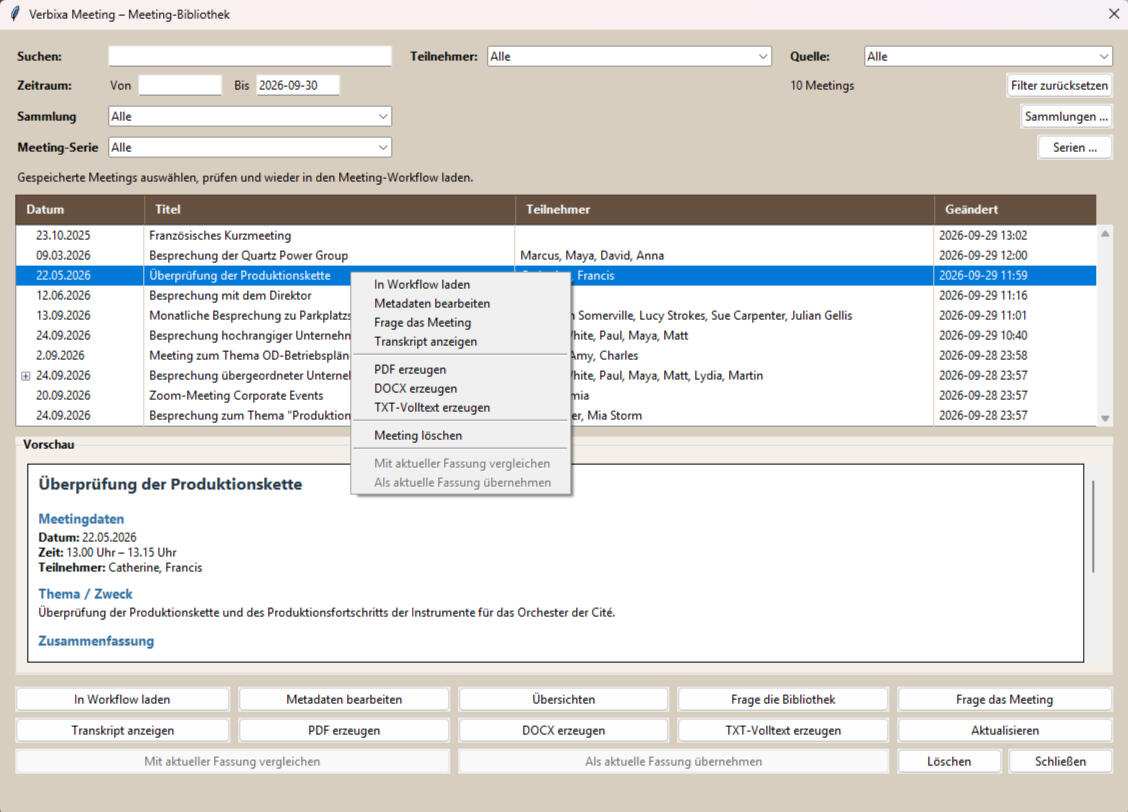
Ask Questions About Your Own Meetings
With “Ask the Library,” Verbixa searches your existing meeting archive and answers questions based on the conversation content actually stored in your meetings.
When was the supplier decision made?
What open action items are there in the project?
What was discussed about Topic X in the last three meetings?
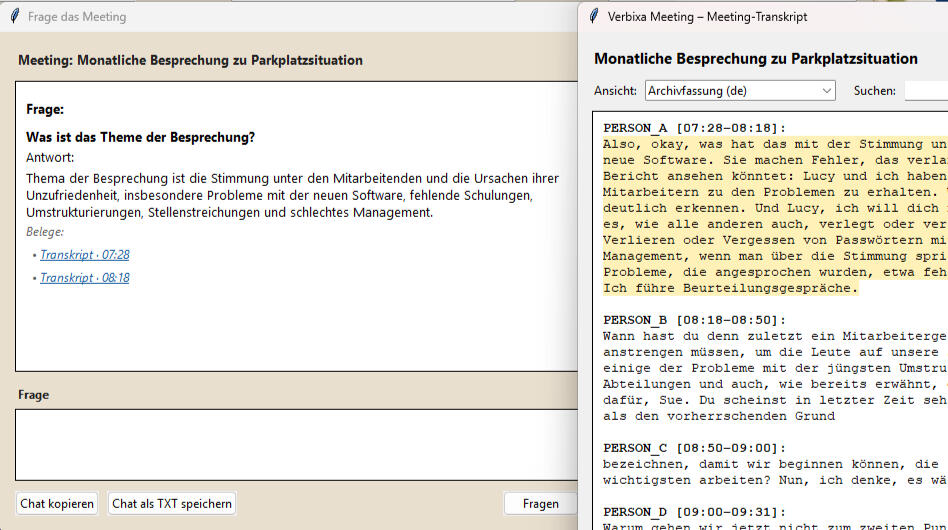
Back to the Source
Relevant statements and answers from the meeting library are linked to supporting evidence and can be traced back to the corresponding passage in the transcript using timestamps.
Track How Topics Evolve Across Multiple Meetings
Verbixa Meeting compares meetings within the same series and shows which decisions, action items, open issues, and deadlines are new, changed, unchanged, or not mentioned again. One principle is applied deliberately: just because an item is no longer mentioned in a later meeting does not automatically mean it has been completed.
Privacy and Local Processing
Speech recognition can be performed locally. For more advanced AI features, local or configured AI services can be used depending on the setup and selected privacy model.
Your Results Are Not Locked Into Verbixa
Meeting reports can be exported in formats including PDF, DOCX, and TXT. Full transcripts can be exported separately as PDF or DOCX, including timestamps and speaker labels.
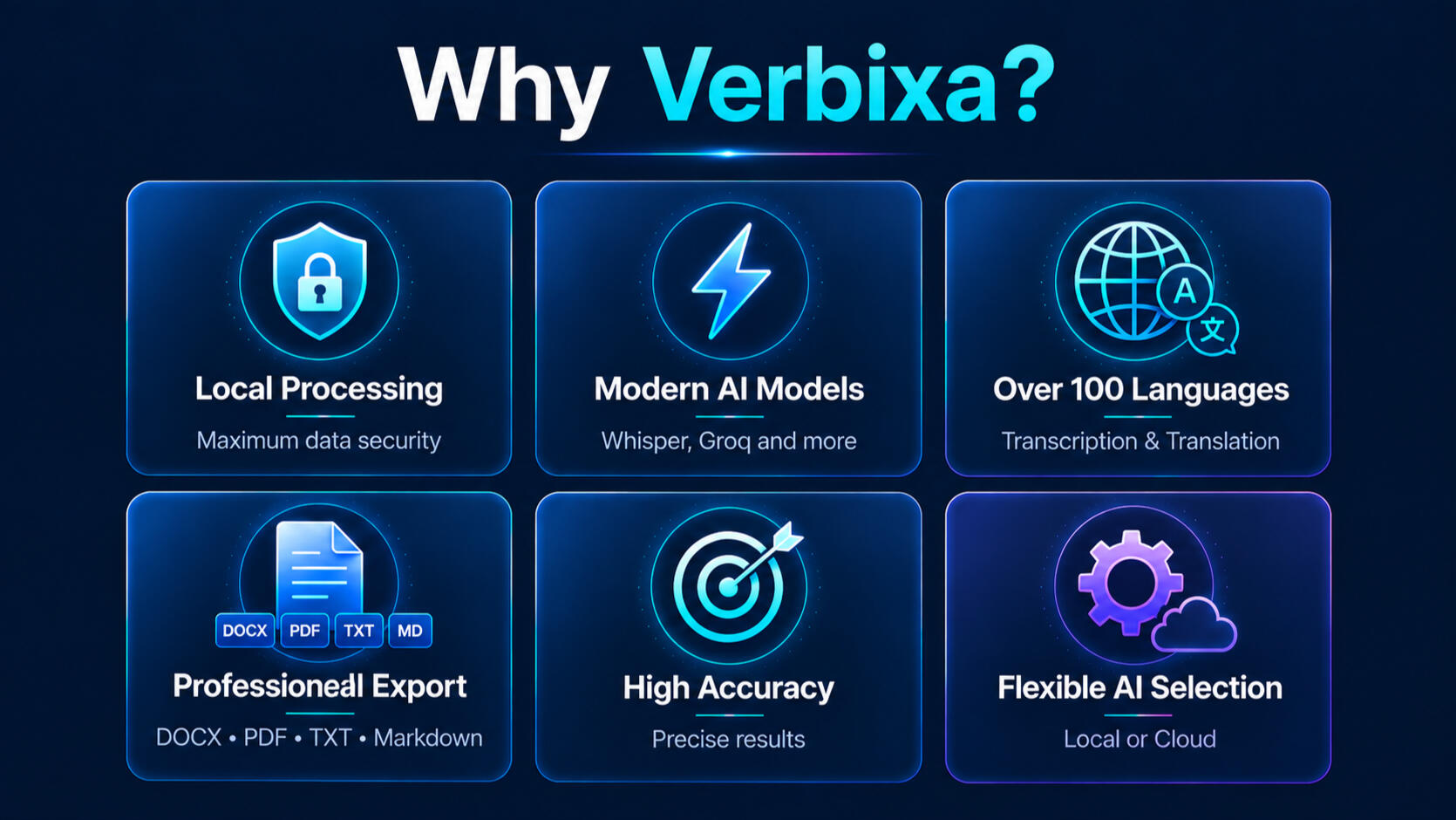
Modern AI models, a powerful desktop workflow, and maximum flexibility - locally or in the cloud.

Frequently Asked Questions
What Is Verbixa Meeting?
Verbixa Meeting is a tool for the structured documentation and follow-up of meetings and conversations. Audio and video files, microphone recordings, supported local files, and supported online sources are turned into more than just transcripts: Verbixa also produces structured meeting information such as summaries, decisions, action items, and open issues. The results can be edited, exported, and then organized and searched in a personal meeting library.
What Sources Can Verbixa Meeting Process?
Verbixa Meeting is not limited to traditional audio recordings. Depending on the workflow, it can process audio and video files, microphone recordings, supported local files, and supported online sources such as YouTube.
What Results Does Verbixa Create from a Meeting?
Verbixa can transcribe the conversation and derive structured meeting information from it. This includes, in particular, summaries, decisions, action items, and open issues. Meeting metadata and the complete transcript also remain available, and a meeting report can be created for sharing or archiving.
Can Verbixa Automatically Identify Decisions and Action Items?
Yes. Verbixa can identify relevant information from the conversation and organize it into a structured format. This can include decisions, action items, open issues, and other information relevant to meeting follow-up. The information must be sufficiently clear from the conversation. Automatically generated results should be reviewed before they are used for binding or consequential purposes.
Can Verbixa Capture Responsibilities and Deadlines?
If responsibilities or deadlines are clearly stated during the conversation, they can be included in the structured meeting information. Assignments that are unclear or merely inferred should not be treated as confirmed information.
Can I Edit the Generated Results?
Yes. The summaries and structured meeting information generated by Verbixa are not fixed AI outputs. They can be reviewed and edited before they are saved, archived, or shared.
Is the Full Transcript Preserved?
Yes. In addition to the structured meeting documentation, the complete transcript remains accessible. This makes it possible to review statements later in their original conversational context. Where corresponding versions are available, Verbixa can distinguish between the archived or edited version and the original transcript.
Can I Trace a Statement Back to Its Source?
Yes. Verbixa supports evidence references and timestamps. These allow you to navigate from a relevant statement back to the corresponding passage in the transcript, helping keep results and answers traceable.
What Is the Meeting Library?
Completed meetings can be stored permanently in a personal library. They can be searched using full-text search and filtered by date range, participants, sources, collections, and meeting series. This means a meeting remains part of a searchable knowledge base even after the immediate follow-up work is complete.
What Does “Ask the Library” Mean?
“Ask the Library” lets you ask questions about meetings that have already been stored. Verbixa searches the available meeting content and derives answers from the information stored there, rather than mixing general model or web knowledge with your meeting data. The search scope can, for example, be limited to the entire library, a collection, or a meeting series.
What Are Collections?
Collections provide a flexible way to group meetings by topic or organizational context. A meeting can belong to multiple collections at the same time—for example, to a specific client and to a project. The meeting content itself is not duplicated.
What Are Meeting Series?
Meeting series are used to organize recurring meetings, such as weekly meetings, regular check-ins, or recurring project meetings. Unlike collections, which can overlap freely, a meeting can belong to no more than one meeting series.
Can Verbixa Compare Different Meetings Within the Same Series?
Yes. Two meetings from the same series can be compared in terms of decisions, action items, open issues, and deadlines. Verbixa distinguishes, among other things, between new, changed, unchanged, and not mentioned again. An item is not automatically considered completed simply because it is no longer mentioned in a later meeting.
Can I Restore Earlier Versions of a Meeting?
Yes. Verbixa supports historical revisions. Earlier versions can be compared with the current version and, if needed, restored as the current version. The previously current version remains preserved as part of the version history.
Are My Audio Recordings Uploaded to the Cloud for Transcription?
Verbixa can use a local transcription pipeline for speech recognition. This means the audio does not necessarily have to be sent to a cloud-based speech recognition service for transcription. For more advanced AI features, local or configured AI services can be used depending on the setup and selected privacy model.
Can Verbixa Work Entirely Locally?
Verbixa supports a privacy model in which only local processing is permitted for the relevant AI functions. Which functions are performed locally or through configured services depends on the selected workflow and configuration.
Does Verbixa Work with Multiple Participants?
Meetings with multiple participants can be processed. However, transcription quality depends on the source material. People speaking at the same time, strong background noise, large distances from the microphone, or unclear speech can make recognition more difficult. For the most reliable results, a clear recording with as little background noise as possible is recommended.
Does Every Meeting Recording Work Equally Well?
No. As with any automatic speech recognition system, quality depends significantly on the source material. Clear speech, sufficient recording levels, and low background noise improve transcription accuracy. Overlapping speakers and acoustically challenging recordings can reduce recognition quality.
Can Verbixa Process Different Languages?
Verbixa supports automatic language recognition and multilingual content processing. Depending on the workflow, conversation content can also be translated and processed further. Independently of this, Verbixa Meeting provides both German and English user interfaces.
What Export Options Are Available?
Structured meeting reports can be exported in formats including PDF, DOCX, and TXT. Complete transcripts can be exported separately as PDF or DOCX. This allows both concise meeting reports and complete conversation records to be archived or processed outside Verbixa.
Can I Try Verbixa Meeting Before I Buy It?
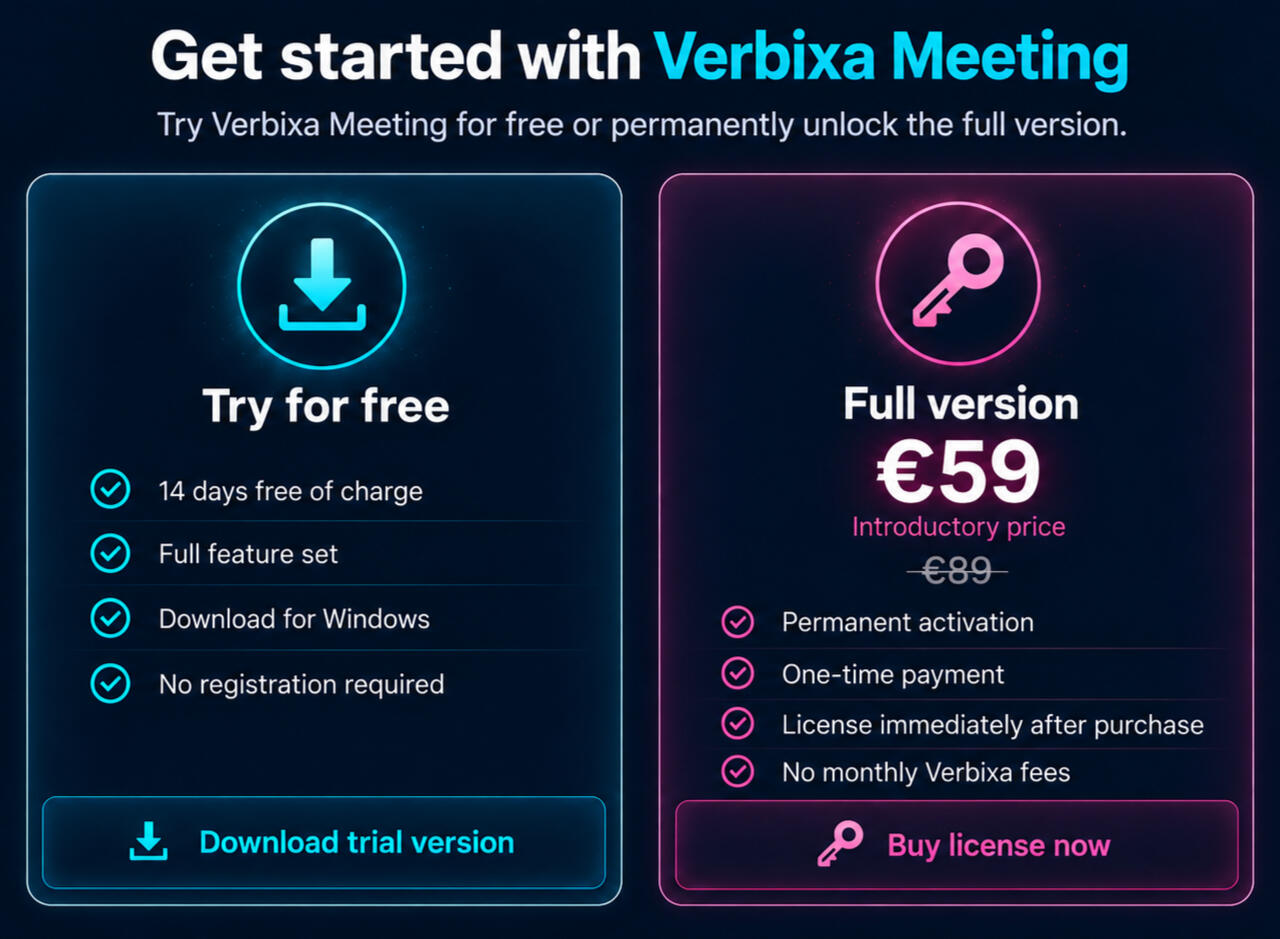
Yes. Verbixa Meeting can initially be used as a trial version. After the trial period ends, previously created meetings and the meeting library remain accessible; only the creation of new meetings is restricted.
What Happens to My Existing Meetings When the Trial Period Ends?
Your existing meeting data remains accessible. The application does not become an inaccessible data silo after the trial expires. A valid license is required to create new meetings.
Is Verbixa Meeting a Standalone Application?
Yes. Verbixa Meeting can be used as a standalone application while also being part of the broader Verbixa ecosystem. When needed, you can switch between the specialized Meeting application and Verbixa Studio.
© 2026 Mathias Scholz — Verbixa-Projekt
Made for creators, researchers & professionals.
Datenschutzerklärung
1. Verantwortlicher
Verantwortlich für diese Website ist:Mathias Scholz
E-Mail: [email protected]
2. Hosting
Diese Website wird über Carrd.co bereitgestellt. Beim Besuch der Website werden durch Carrd.co bzw. die eingesetzten Hosting-Dienstleister automatisch technische Informationen (Server-Logfiles) verarbeitet. Hierzu können insbesondere gehören:
IP-Adresse
Datum und Uhrzeit des Zugriffs
Browsertyp und Browserversion
verwendetes Betriebssystem
aufgerufene Seiten
Referrer-URL
Die Verarbeitung erfolgt zur Bereitstellung, Sicherheit und Stabilität der Website.
3. Kontakt per E-Mail
Wenn Sie mich per E-Mail kontaktieren, werden die von Ihnen übermittelten personenbezogenen Daten ausschließlich zur Bearbeitung Ihrer Anfrage oder Ihres Feedbacks verwendet.Eine Weitergabe an Dritte erfolgt nicht, sofern keine gesetzliche Verpflichtung besteht.
4. Downloads
Der Download der Software wird über GitHub bereitgestellt. Beim Aufruf der Downloadseite oder beim Herunterladen der Dateien können durch GitHub technische Informationen (z. B. IP-Adresse sowie Zugriffs- und Protokolldaten) verarbeitet werden.Es gelten ergänzend die Datenschutzbestimmungen des jeweiligen Anbieters.
5. Ihre Rechte
Sie haben im Rahmen der gesetzlichen Bestimmungen insbesondere folgende Rechte:
Auskunft über Ihre gespeicherten personenbezogenen Daten,
Berichtigung unrichtiger Daten,
Löschung Ihrer Daten,
Einschränkung der Verarbeitung,
Widerspruch gegen die Verarbeitung sowie
Beschwerde bei einer zuständigen Datenschutzaufsichtsbehörde.
6. Änderungen dieser Datenschutzerklärung
Ich behalte mir vor, diese Datenschutzerklärung bei Bedarf anzupassen, um sie an geänderte rechtliche oder technische Anforderungen anzupassen.